Free Al Office Suite with PDF Editor

Edit Word, Excel, and PPT for FREE.
Read, edit, and convert PDFs with the powerful PDF toolkit.
Microsoft-like interface, easy to use.
Windows • MacOS • Linux • iOS • Android

Catalog
How to Use Text Summarizer in WPS
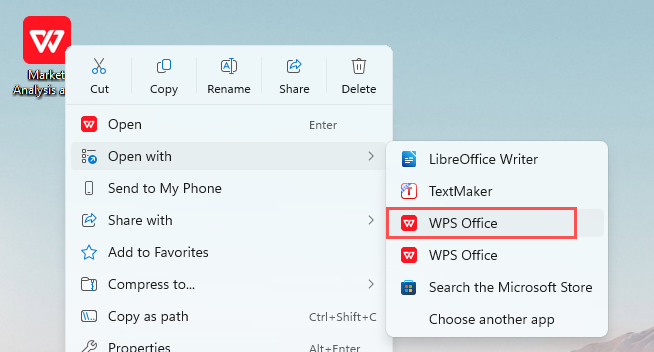
Step 1: Open Your Document with WPS Office
Right-click your target document, hover over "Open with", and select WPS Office to launch the file.
Step 2: Access WPS AI Tools
In the top menu bar, click the WPS AI tab to open the AI-powered editing panel.

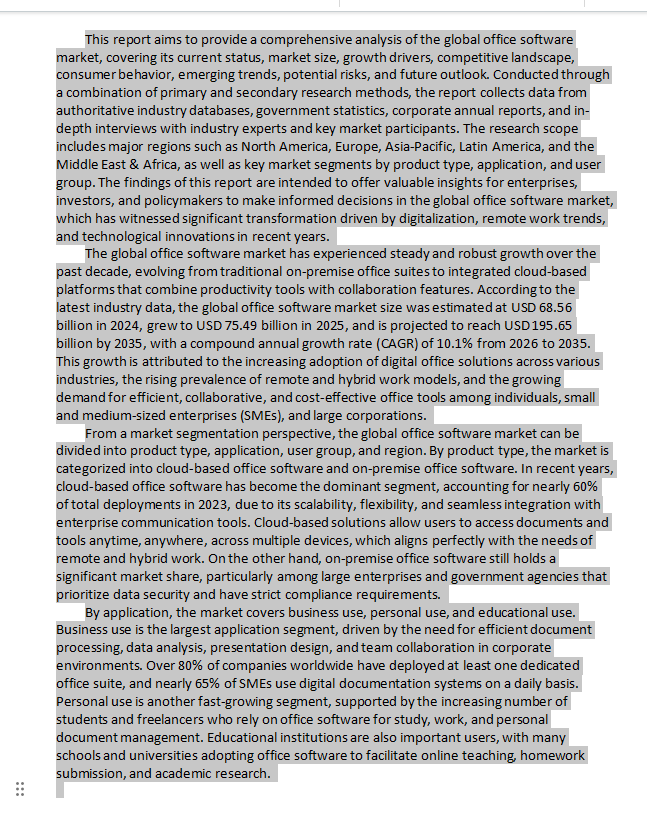
Step 3: Select Text for Summarization
Highlight the full text or specific sections of your document that you want to summarize.
Step 4: Generate a Concise Summary
In the WPS AI toolbar, click the Shorten button to condense the selected text into a concise summary.

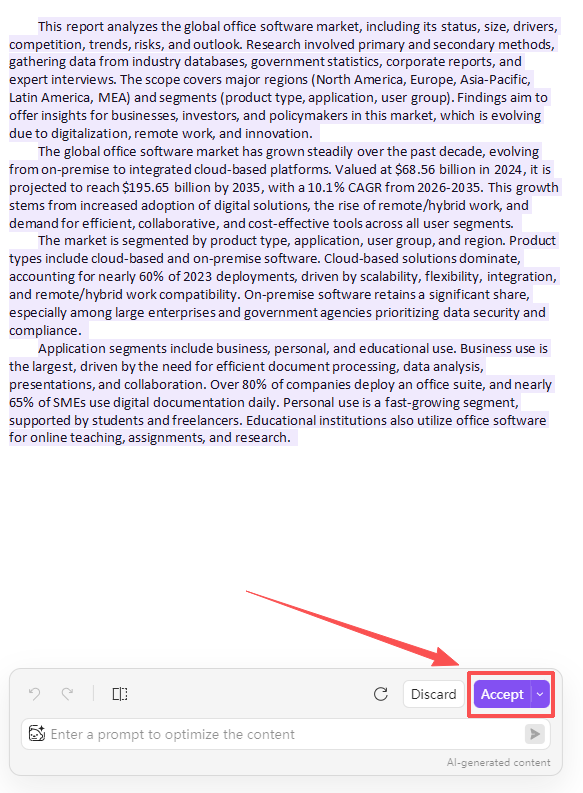
Step 5: Accept the Summary
Once the AI-generated summary appears, review it for accuracy, then click Accept to insert it into your document.
Why WPS?



15 years of office industry experience, tech lover and copywriter. Follow me for product reviews, comparisons, and recommendations for new apps and software.


