Office users and students frequently need to isolate subjects from photos for resumes, marketing materials, or school projects. Free online tools often produce rough edges or require uploading sensitive files, while desktop photo editors have steep learning curves, making quick, professional results difficult to achieve.
Step 1: Open Your Image with WPS Photos
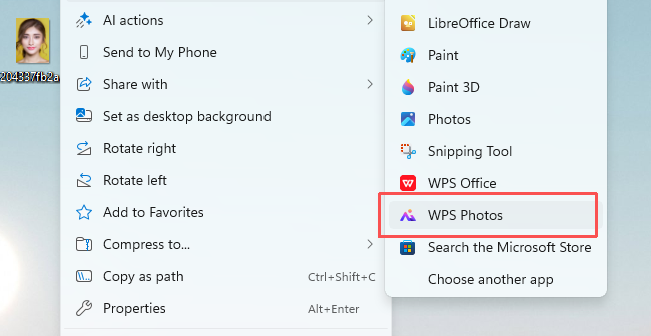
Right-click your target image, hover over "Open with", and select WPS Photos from the app list.
select WPS Photos
Step 2: Access Smart Background Removal
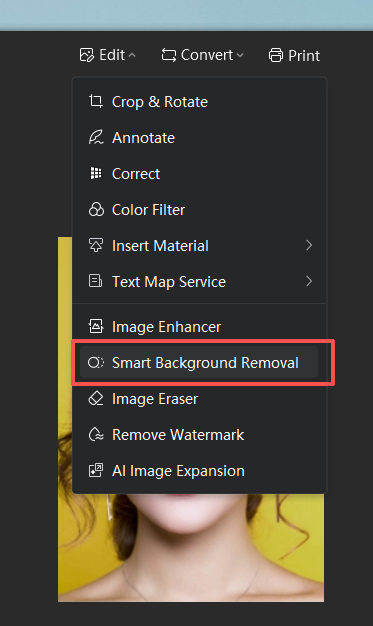
Click the Edit dropdown in the top menu, then select Smart Background Removal.
select Smart Background Removal.
Step 3: Auto-Remove the Background
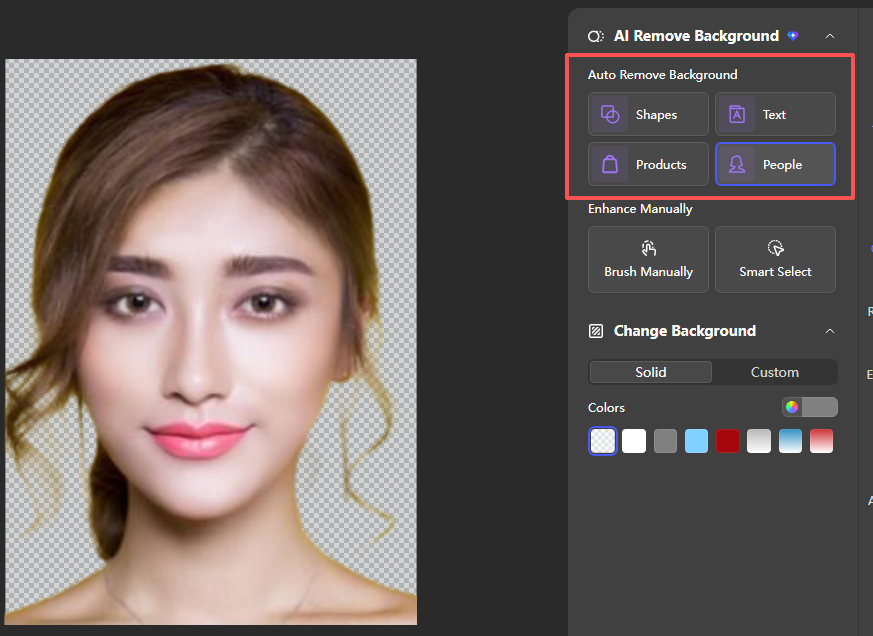
In the right-side panel, under "Auto Remove Background", select the People preset to automatically detect and cut out the portrait subject.
select the People preset
Step 4: Refine the Cutout Manually
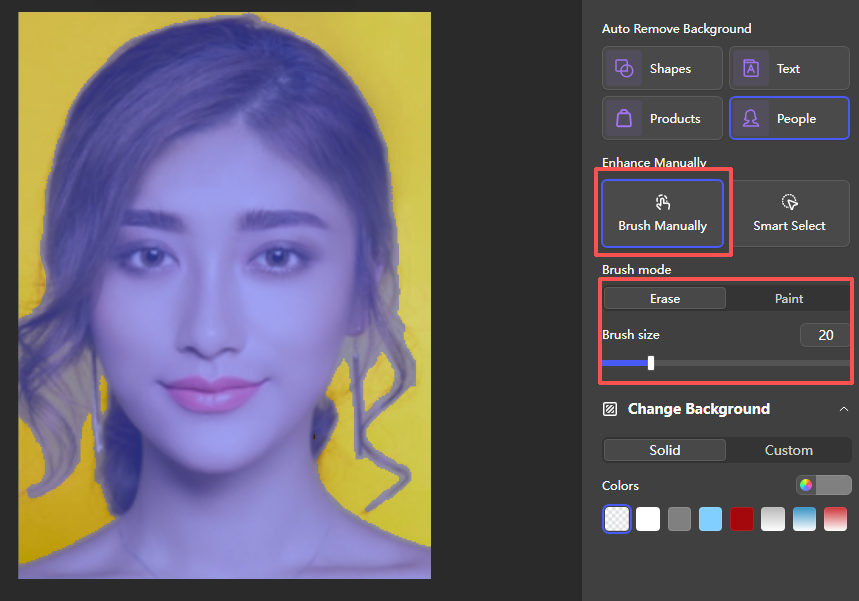
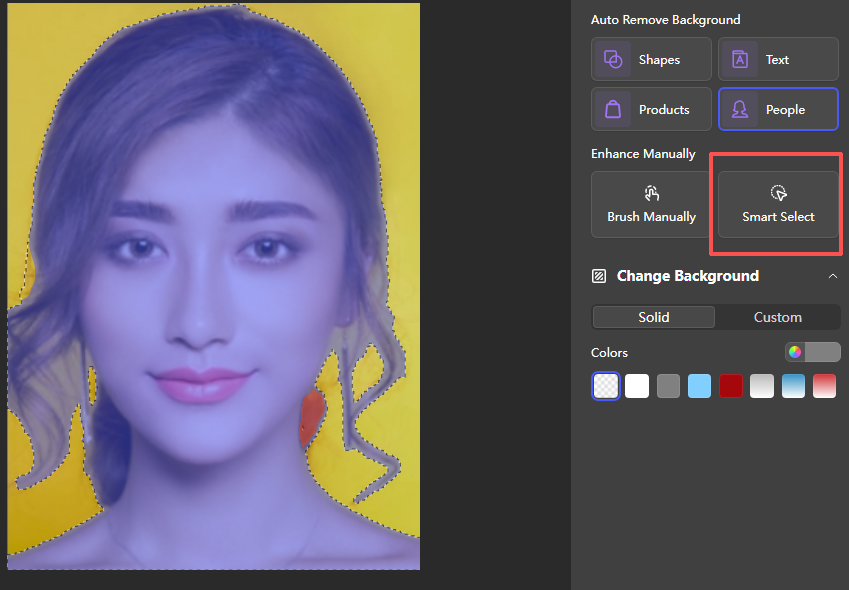
Use Brush Manually to switch between "Erase" and "Paint" modes, adjusting brush size to refine edges.
switch between "Erase" and "Paint"
Click Smart Select to let the tool automatically identify and refine remaining background areas.
Click Smart Select
Step 5: Change the Background
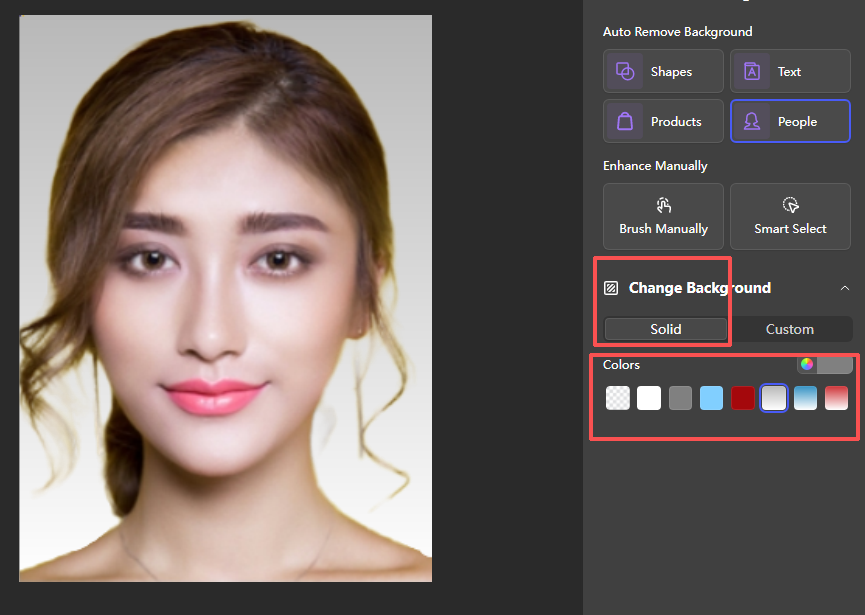
Under "Change Background", use the Solid tab to select a plain color (e.g., white for a passport photo).
select a plain color
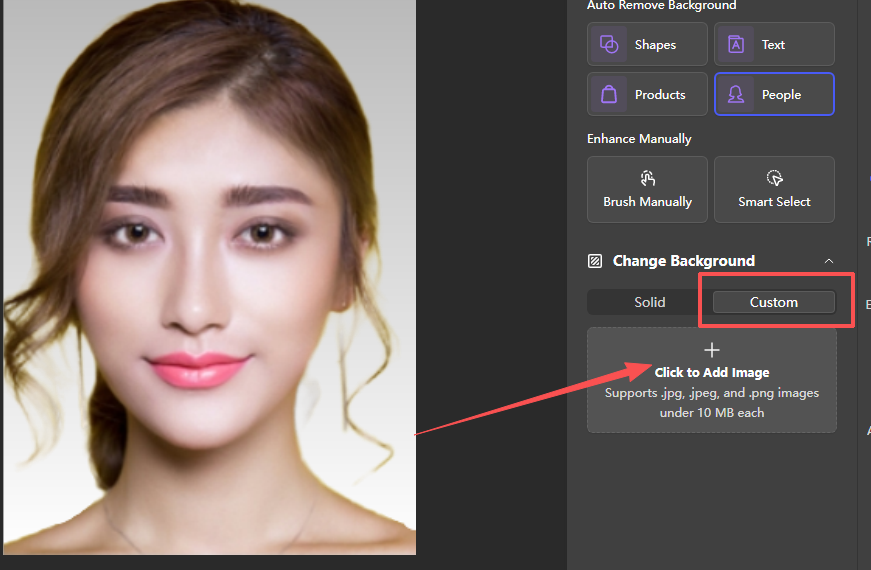
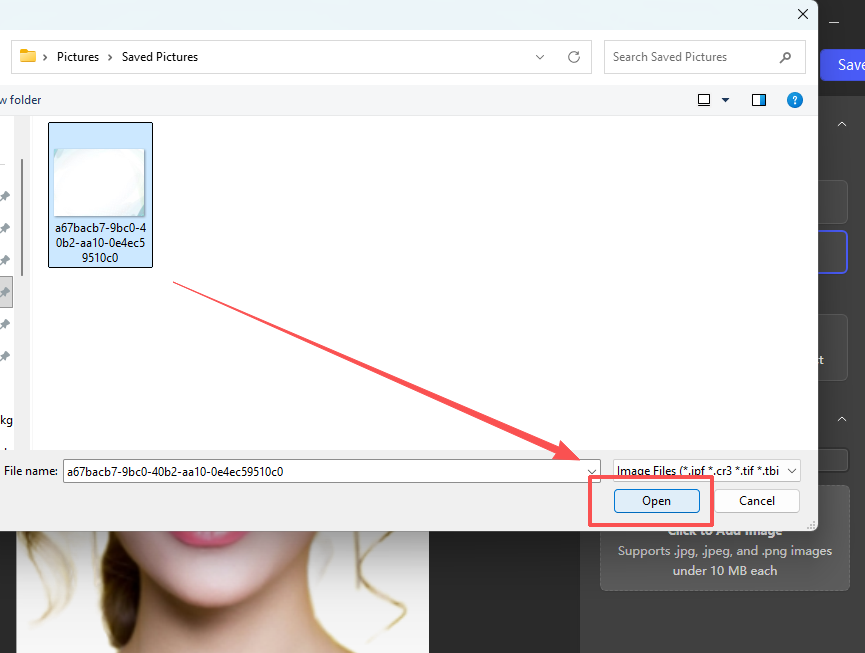
For a custom background, switch to the Custom tab, click Click to Add Image, and select your desired background file, then click "Open".
Click to Add Image
open your target image
Step 6: Save the Final Image
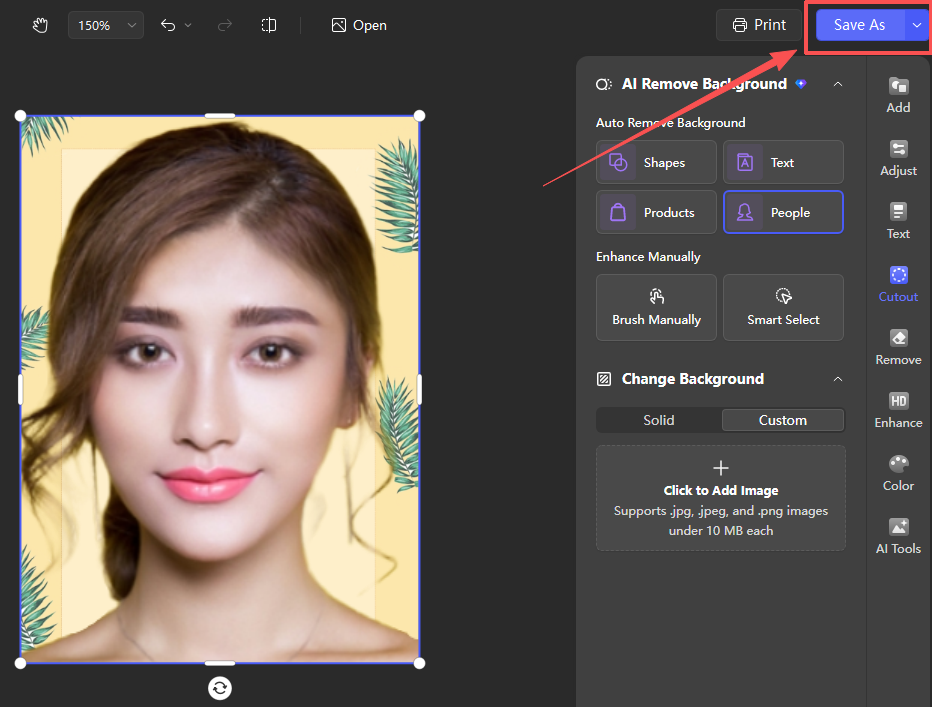
Click Save As to export your edited image with the cutout subject and new background.
export your edited image
open target image
Why WPS?
Unlike standalone image cutout tools that require cloud uploads or paid subscriptions, WPS Photos lets you complete the entire cutout and background replacement workflow offline within the WPS ecosystem, ensuring data security and seamless integration with your existing documents.
15 years of office industry experience, tech lover and copywriter. Follow me for product reviews, comparisons, and recommendations for new apps and software.